
HalaQR · 2026-08-01 · Updated 2026-08-18
What is a QR menu?
A QR menu is a restaurant catalogue hosted on the web and opened by scanning a code — usually printed on the table. The guest uses the phone they already have. There is no requirement for a consumer app.
That sounds simple, and the scan is simple. The operational question is whether the page they land on can stay true during service: prices, 86’d items, Arabic and English, and — if you want it — a path to send an order.
What the guest actually opens
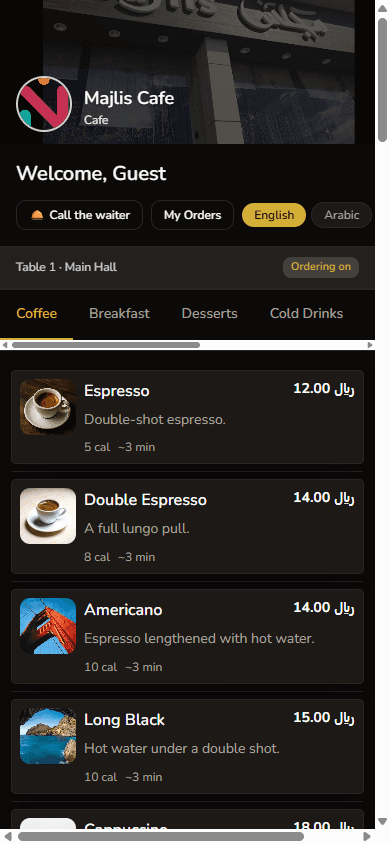
After the scan, the guest should see your venue name, categories, and dishes with prices. If the code is table-specific, the session belongs to that seat. A single poster by the door cannot tell the kitchen which table ordered.
When a QR menu helps a Saudi or GCC room
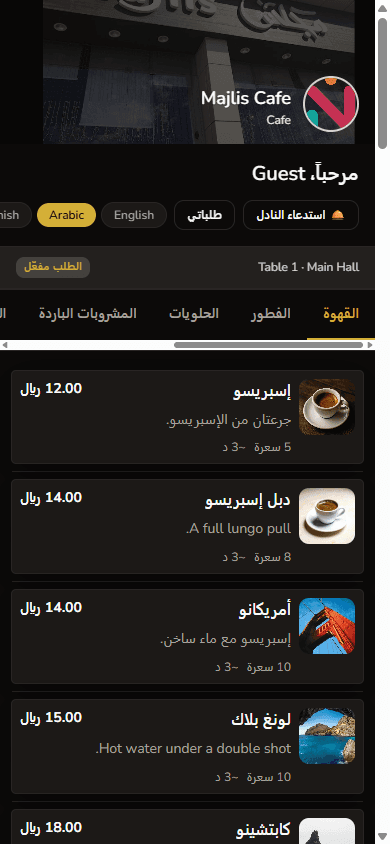
It helps when the catalogue changes, when you serve Arabic and English readers at the same table, and when you would rather not reprint after every supplier price change. It does not replace hospitality. A confused landing page is worse than a well-kept paper card.
- Mixed-language tables that should not share one English PDF
- Cafés that rotate drinks without reprinting the counter board
- Restaurants preparing to take structured orders from the same scan
How HalaQR implements it
HalaQR publishes the guest menu from the restaurant workspace. Table QR codes, themes, and translations are maintained there. Ordering and kitchen boards are available on plans that include them — the scan is the same starting point.
FAQ
Is a QR menu the same as a PDF behind a code?
No. A PDF is a file. A QR menu in HalaQR is a live guest page fed by your catalogue, so you can change items without replacing the printed code.
Do guests need to download an app?
No. They scan with the camera and open the menu in the browser.