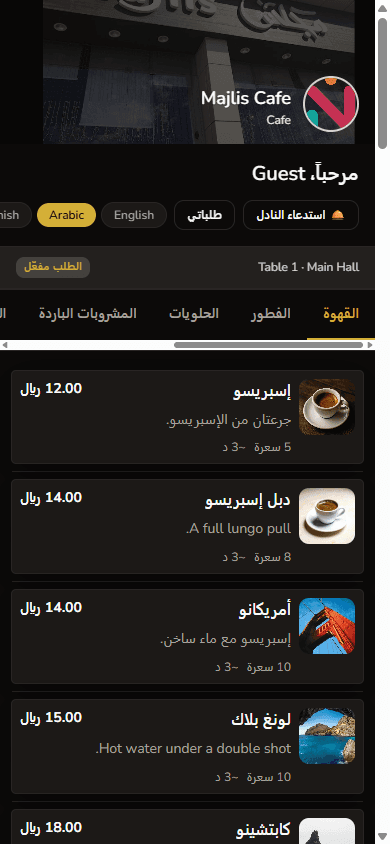
Features that connect the menu, the table, and the kitchen
HalaQR is built for the people running the restaurant. Each capability maps to a real step in service — not a dashboard full of unused switches.
Digital menu and QR codes
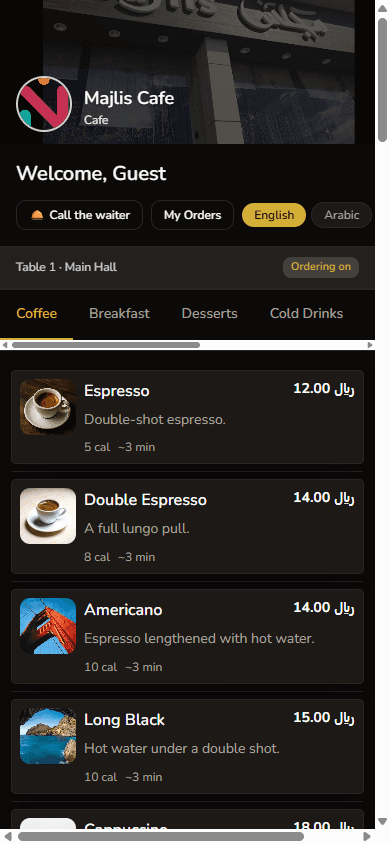
Publish a branded guest menu that diners open by scanning a table QR code. No guest app download is required. Categories, items, modifiers, and photos stay under the restaurant’s control.
- Table-level QR codes for dine-in service
- Themes, logo, and header so the menu looks like your venue
- Item availability and featured dishes you can change during service
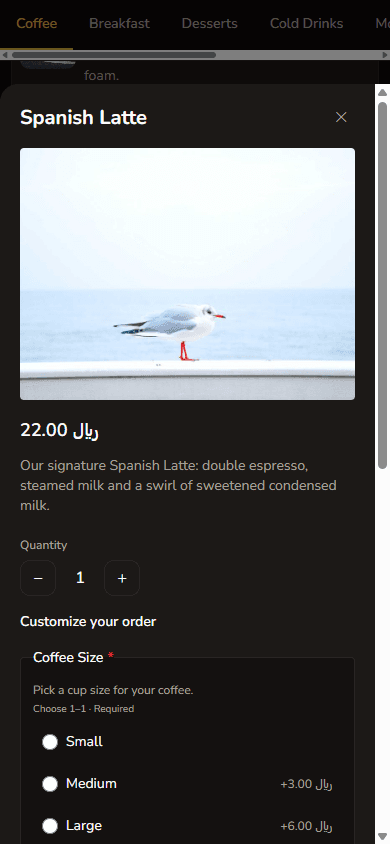
Guest table ordering
When ordering is enabled on your plan, guests send the order from the same menu. The request reaches the restaurant workspace instead of being copied from a paper ticket.
Kitchen and station boards
Orders can appear on kitchen and station views so prep teams see what is waiting, in progress, or ready. This is designed to reduce verbal back-and-forth during peak hours — results still depend on how the team uses the board.
Menu, staff, and branch operations
Owners and managers maintain catalogues, staff access, tables, and — on higher plans — multiple branches from one login. Waiter and kitchen roles see the screens they need, not the full owner console.
Arabic, English, and GCC service context
Guest menus can be offered in more than one language, with RTL layout for Arabic. Prices in the product are presented in Saudi Riyal. That combination is the baseline for restaurants serving mixed local and visiting guests.