
QR menus for restaurants that need a living catalogue

A restaurant QR menu is the guest-facing catalogue tied to a table. HalaQR is designed so you update items in one workspace instead of reprinting cards every season.

What restaurant teams actually need from a QR menu

Guests need readable items, prices, and photos. The team needs to hide an 86’d dish, feature a daily plate, and keep Arabic and English in step. A static PDF rarely does that during a Friday rush.
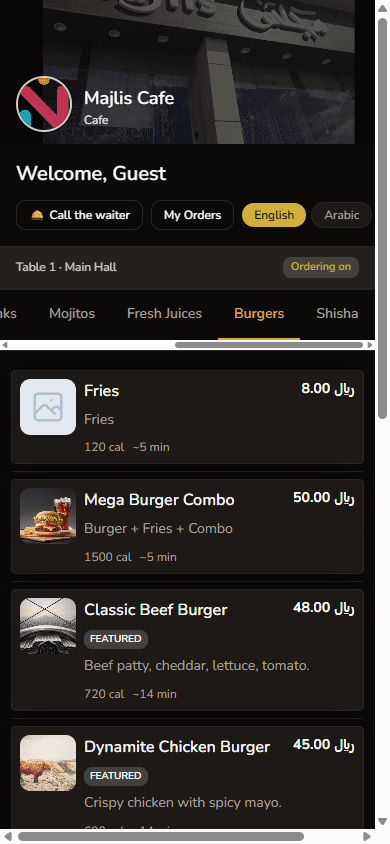
Burgers category on the Majlis Cafe guest menu with photos, featured badges, and SAR prices
Live demonstration menu: Majlis Cafe on www.halaqr.com. Labelled as a demo, not a customer story.

Table codes, not a single poster

HalaQR issues codes per table so the guest session belongs to that seat. That matters once you take orders: the ticket is not “someone in the room”, it is Table 7.
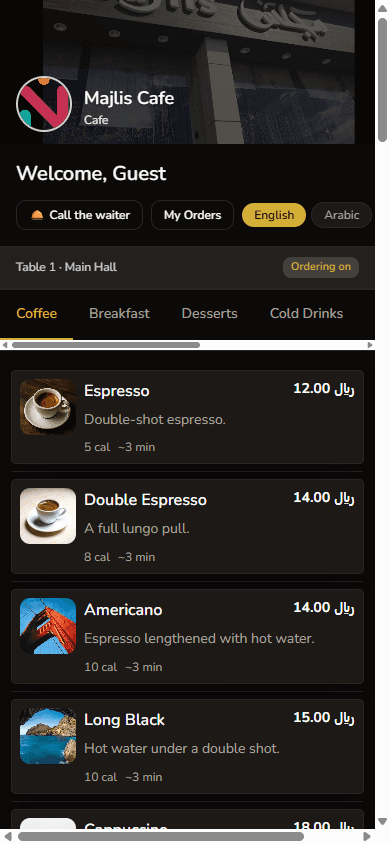
Majlis Cafe guest QR menu on a phone, Coffee category, Table 1 with ordering on
Live demonstration menu: Majlis Cafe on www.halaqr.com. Labelled as a demo, not a customer story.

From browse-only to ordering

You can start with a published menu on the free plan, then enable guest ordering when the operation is ready. The guest still starts from the same QR scan.
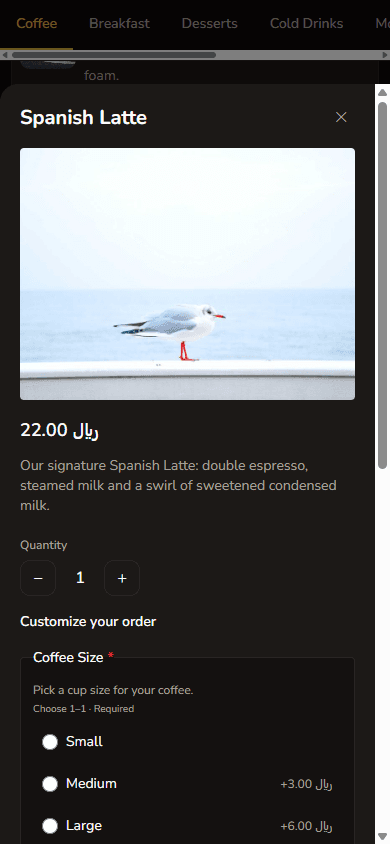
Spanish Latte item detail with size modifiers, quantity, and add to cart on the guest menu
Live demonstration menu: Majlis Cafe on www.halaqr.com. Labelled as a demo, not a customer story.

Start with a digital menu. Add ordering when you need it.

Create a free workspace, publish QR codes for your tables, and try the connected flow on a demonstration restaurant first.

Start free

Free plan available. No credit card required to begin.

Pricing

QR Menu for Restaurants | HalaQR